REBOOKING INSTRUCTION
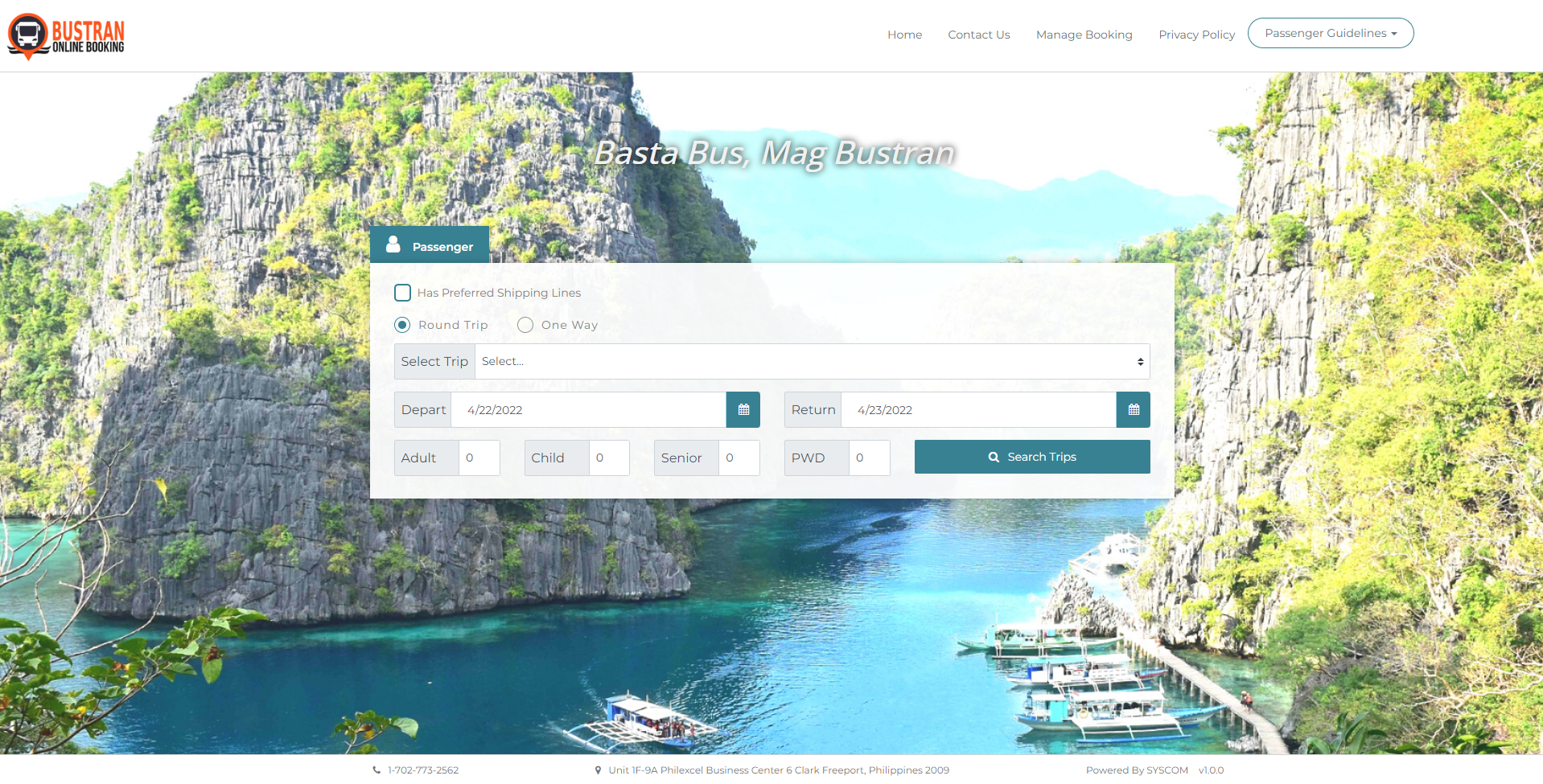
STEP 1
1. https://www.bustran.ph
Click the Manage Booking menu.
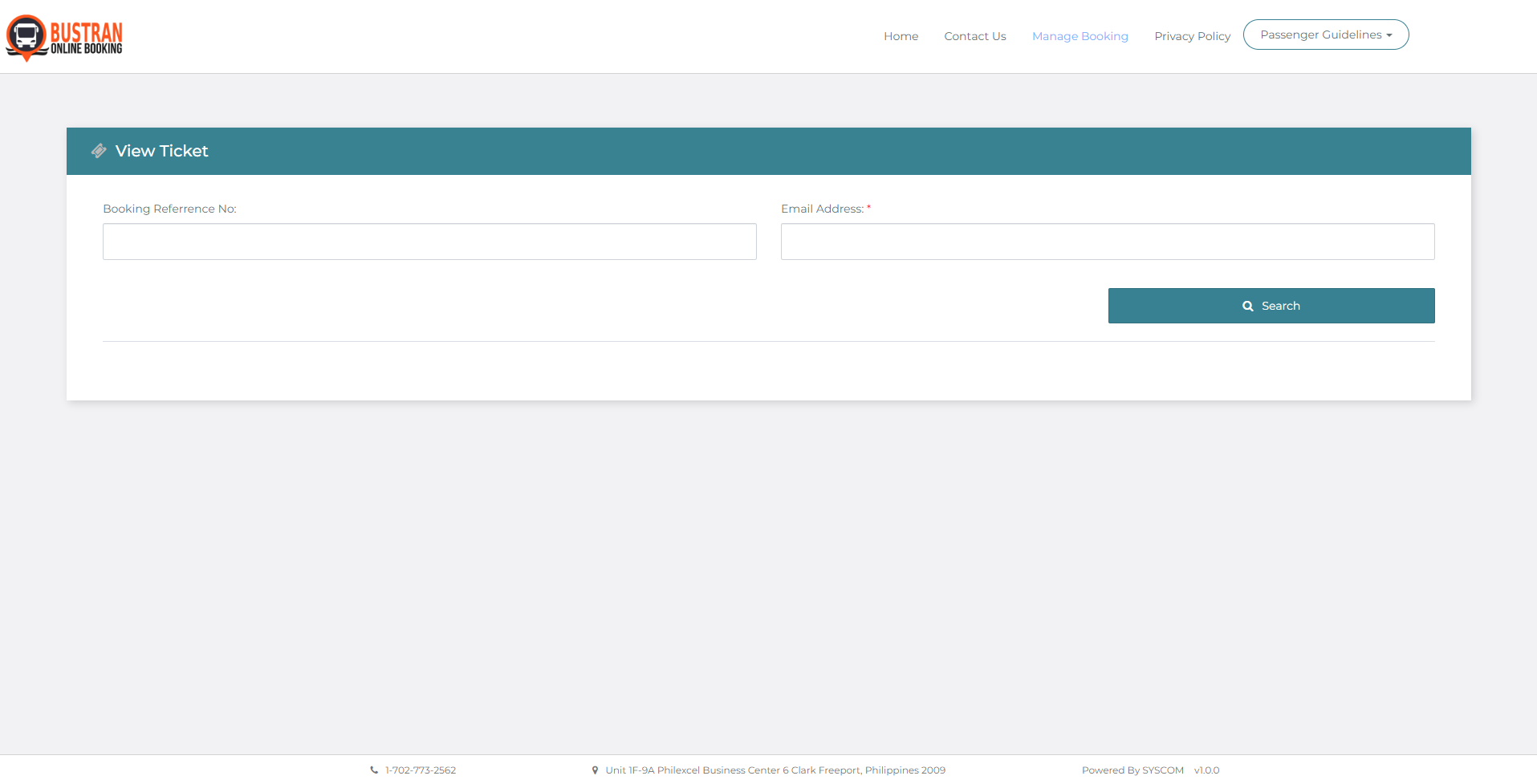
STEP 2
2. On the Manage Booking dashboard, enter your booking details such as Booking Reference Number, Email Address, and/or Ticket Number/Control Number. Then click Search.
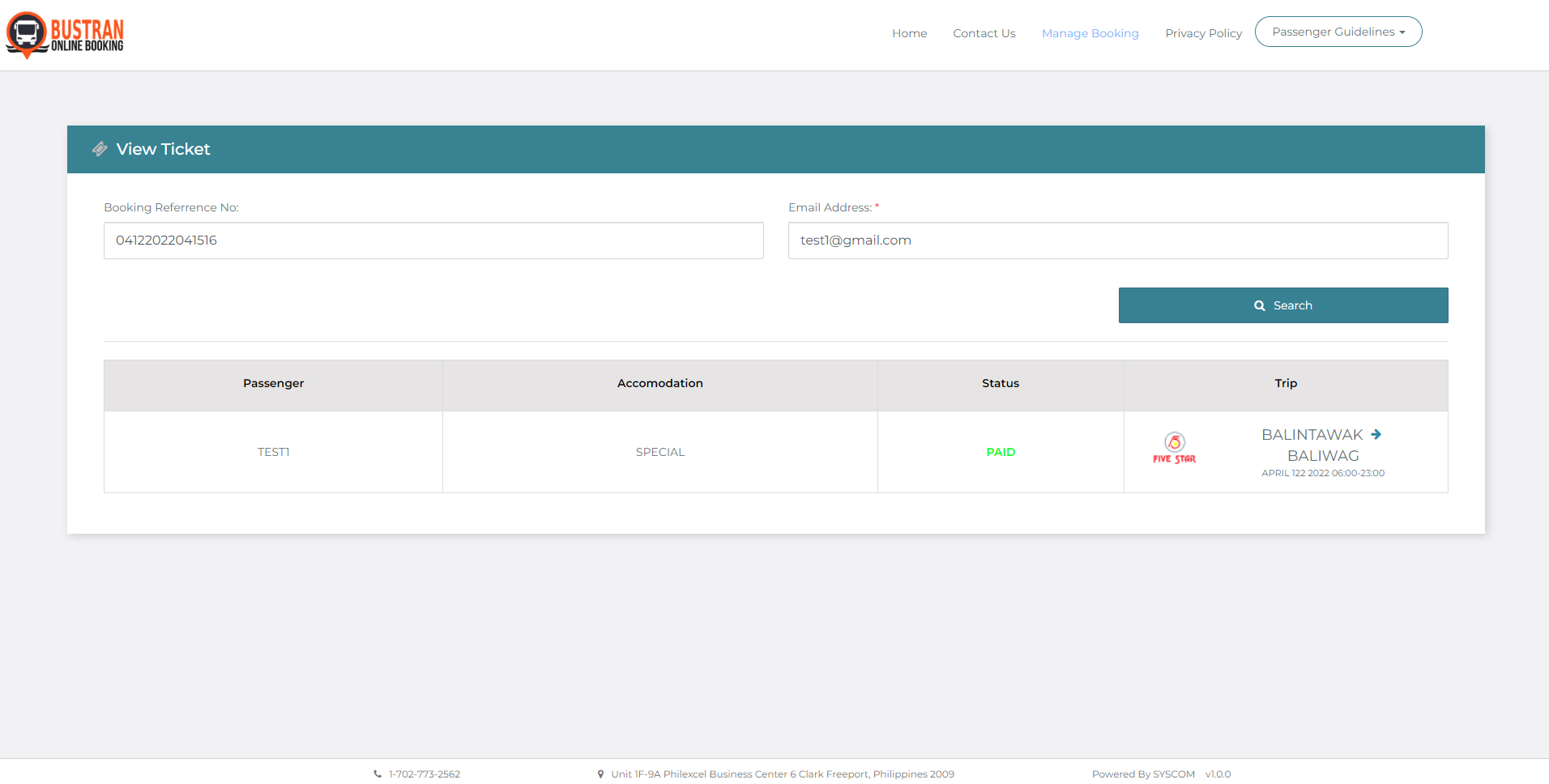
STEP 3
3. The ticket details should appear below. Choose the ticket you want to be rebooked by ticking the box then click the Rebook button.
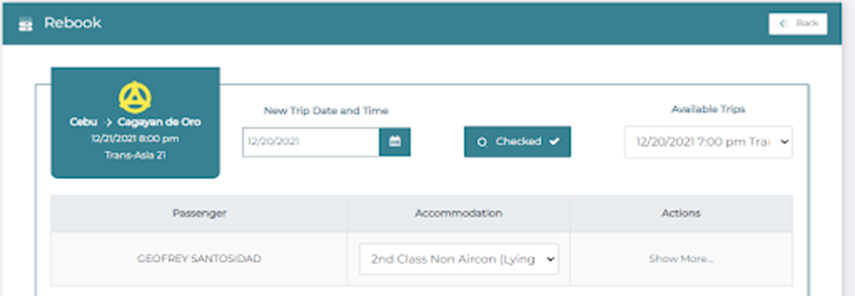
STEP 4
For Rebooking, enter your new itinerary details new-trip date and time. As per shipping company’s policy, rebooking surcharge fee may apply.
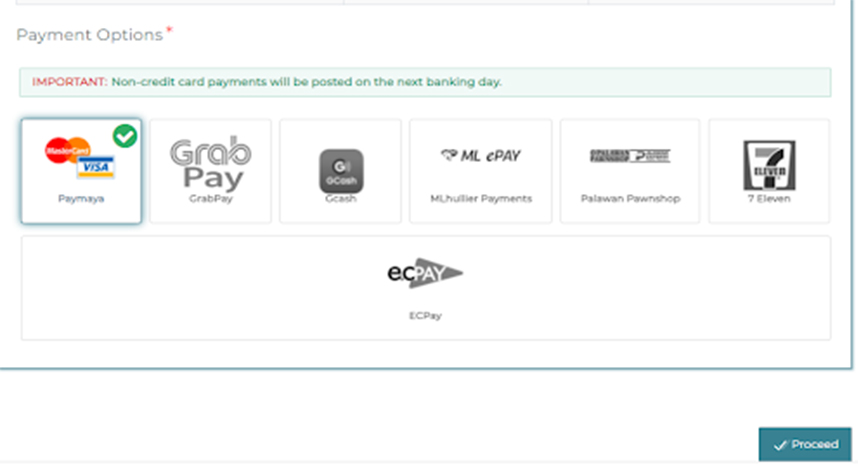
STEP 5
Choose your mode of payment then click Proceed.
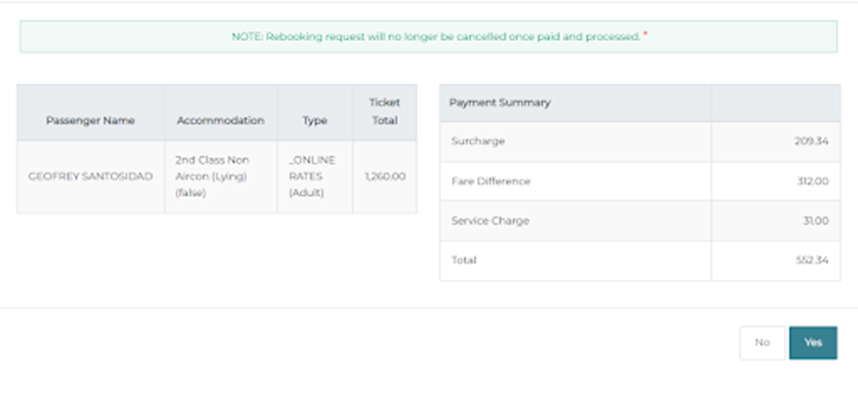
STEP 6
Check the trip details and payment summary then click Yes to continue the Request.