REFUND INSTRUCTION
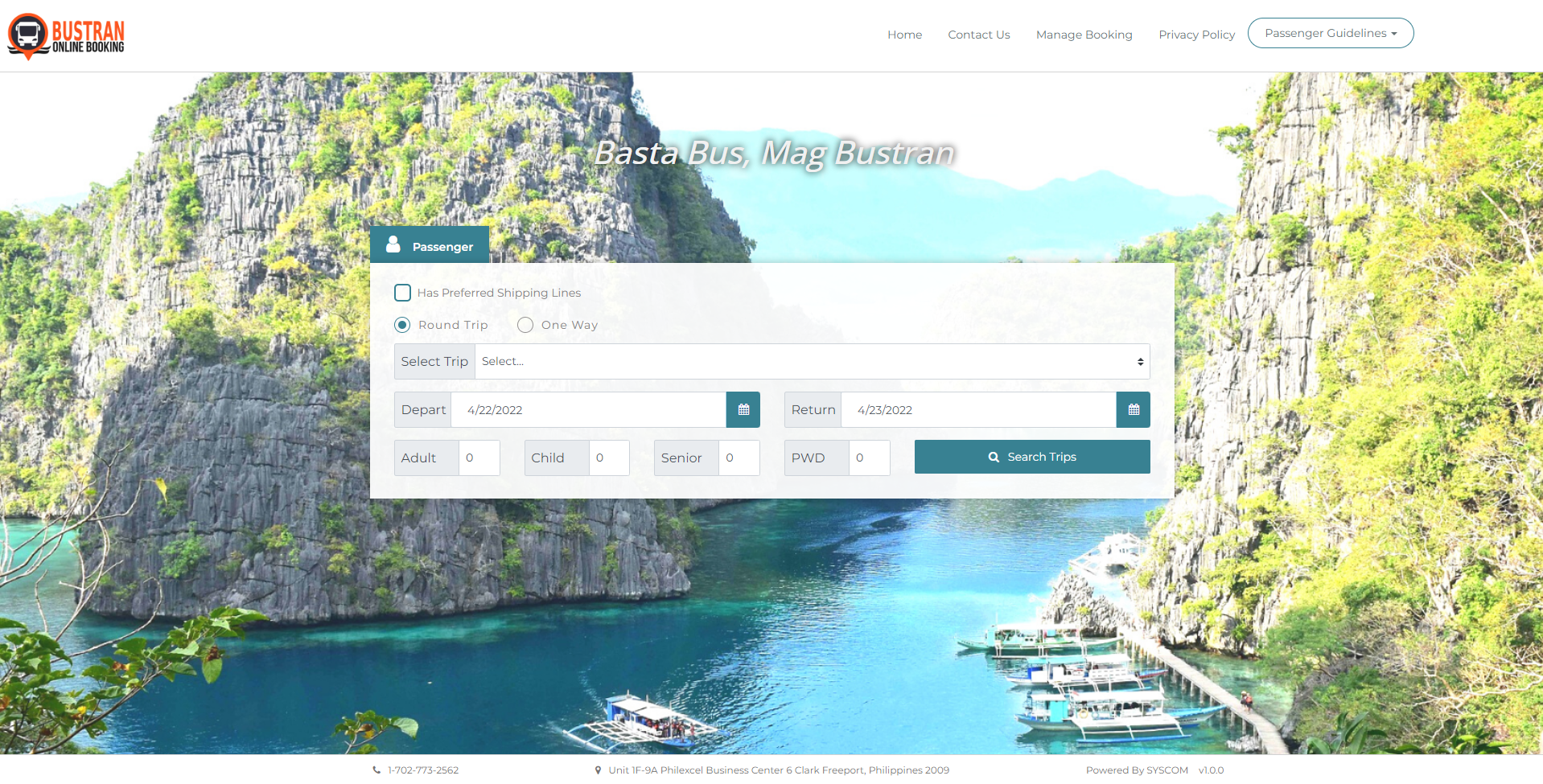
1. https://www.bustran.ph
Click the Manage Booking menu.
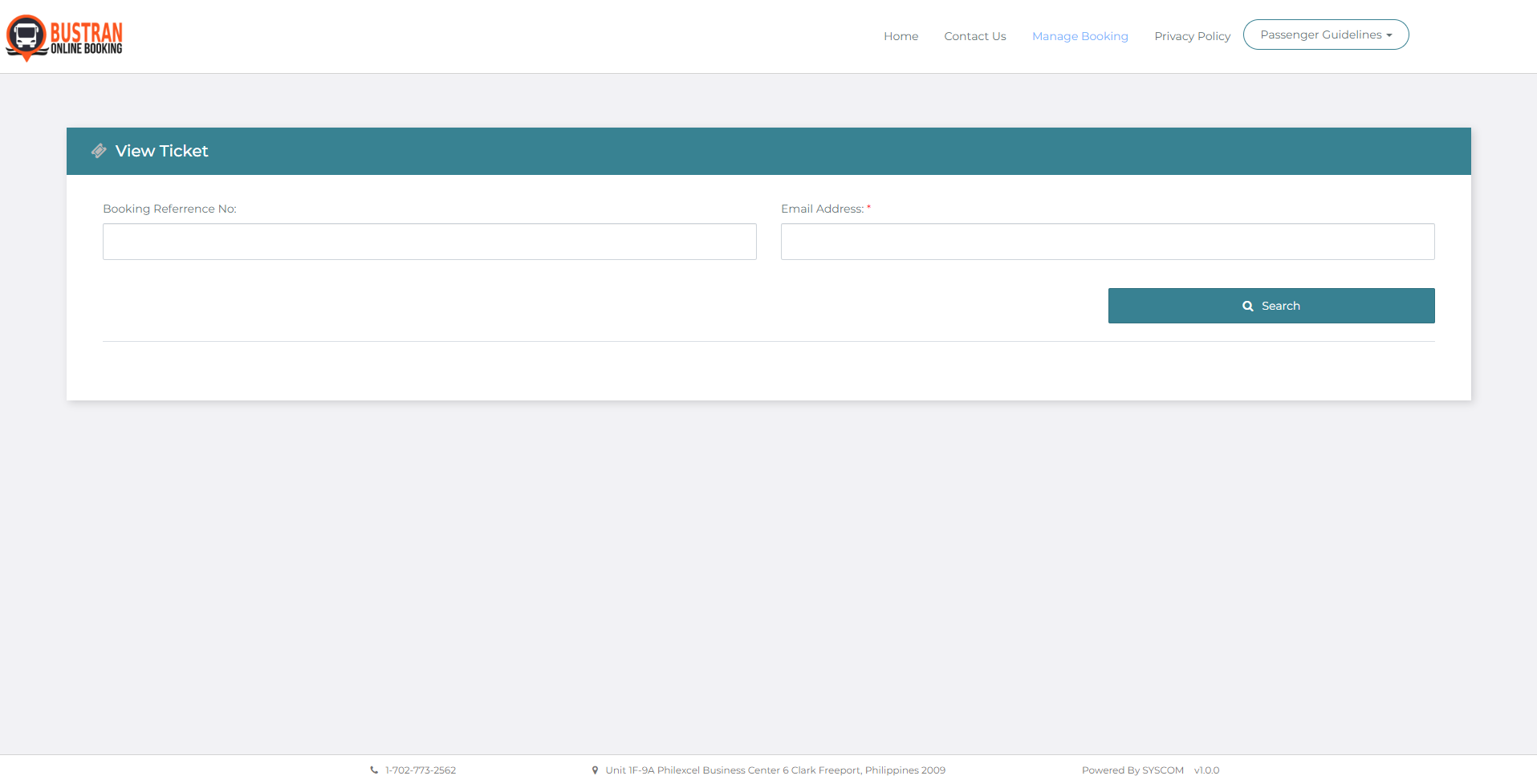
2. On the Manage Booking dashboard, enter your booking details such as Booking Reference Number, Email Address, and/or Ticket Number/Control Number. Then click Search.
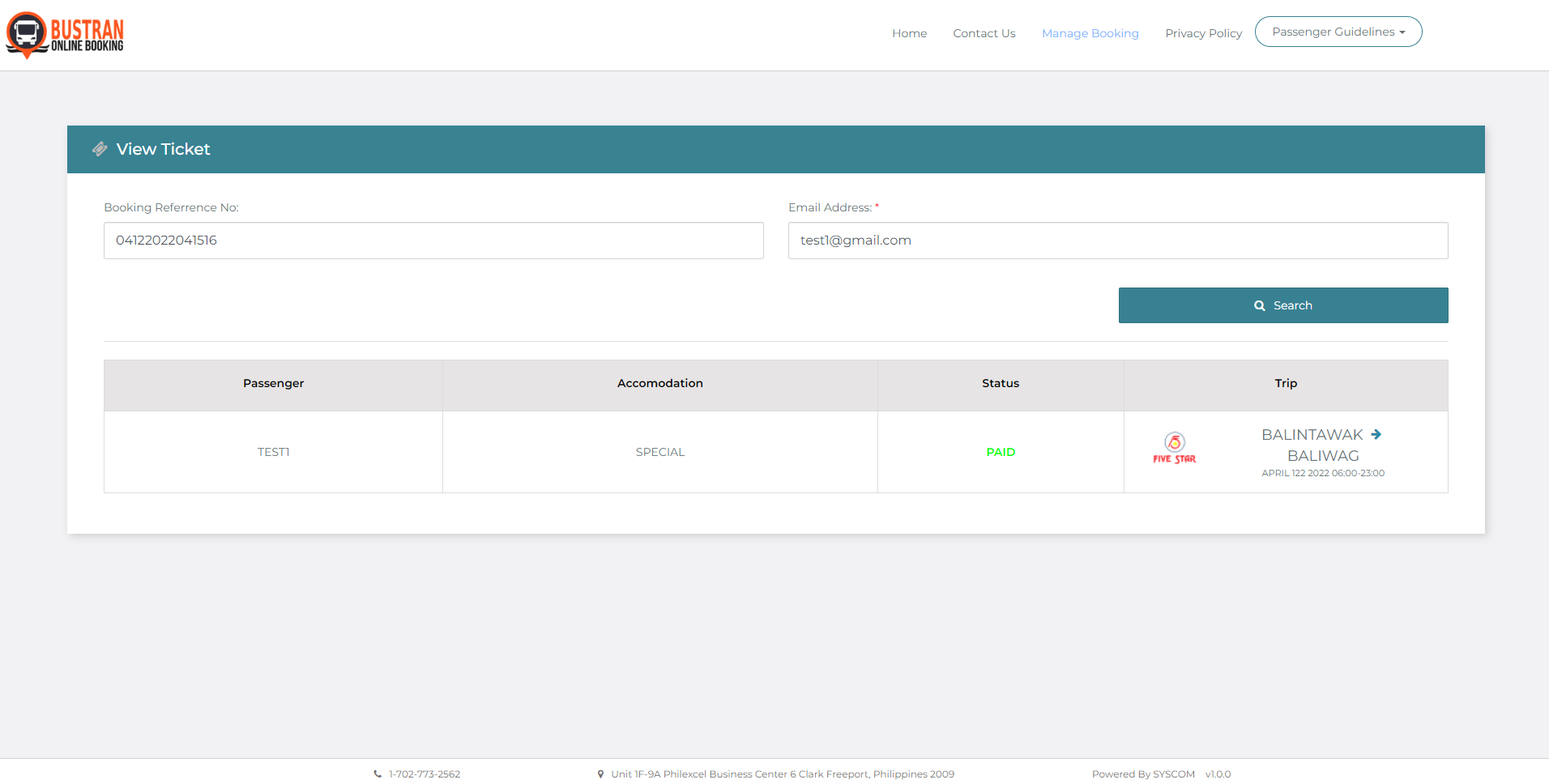
3. The ticket details should appear below. Choose the ticket you want to be refund by ticking the box then click the Refund button.
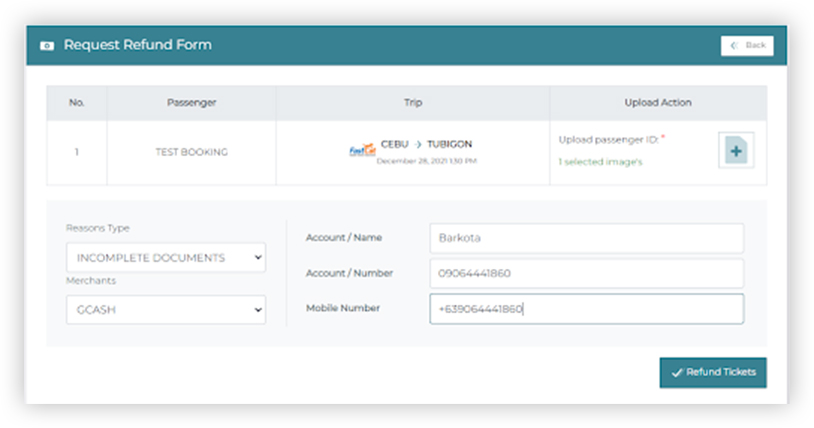
After clicking the Refund button, a Request Refund form will show up. Upload a copy of your valid ID. Then enter the reason for the said request and choose your preferred payment channel to which the refunded amount will be transferred.
Input your Account Name, Contact Number then click the Refund Tickets button to continue.
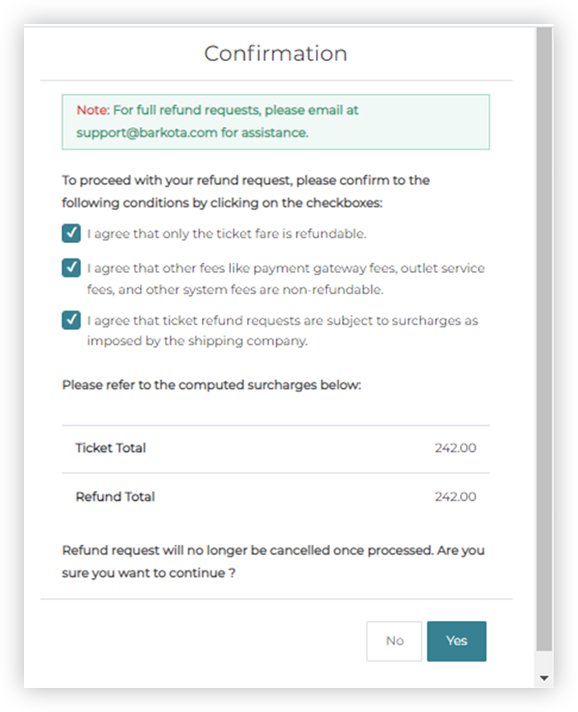
Once everything is verified, please check the Terms and Condition for confirmation, then click the checkboxes. Click Yes to continue.
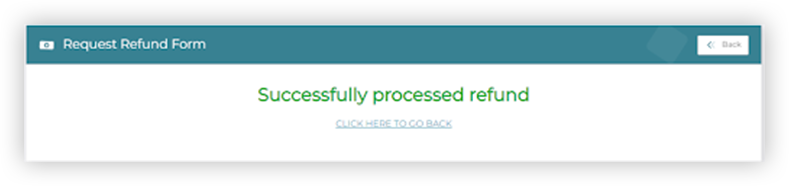
Check the trip details and payment summary then click Yes to continue the Request.